Rinsely runs a detail shop's day in one place: online booking, the schedule, before-and-after photos, client history and card payments with no Rinsely fee. Built for ceramic, PPF, paint correction and mobile detailers.
Detailing runs on texts at 10 PM, a bay you promised twice and a balance you meant to chase. Here's where each of those lands in Rinsely.
10:47 PM
“Can you fit my Tahoe Saturday?”
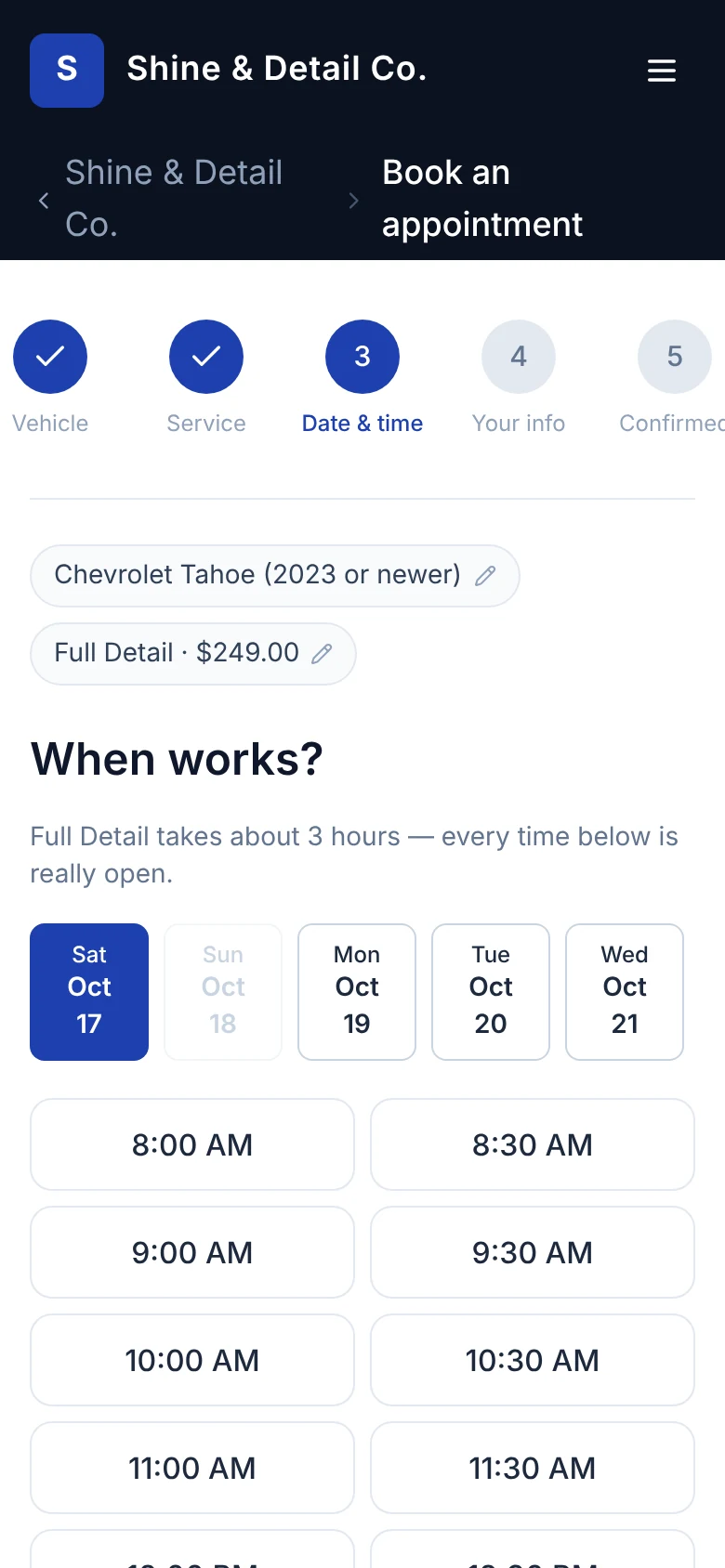
Your booking site only offers times that are really open. The request is holding its slot when you get in.
8:55 AM
The 9:00 never showed.
Every confirmed booking gets a reminder text the day before, with the time and the vehicle.
2:30 PM
“Did we photograph that scratch?”
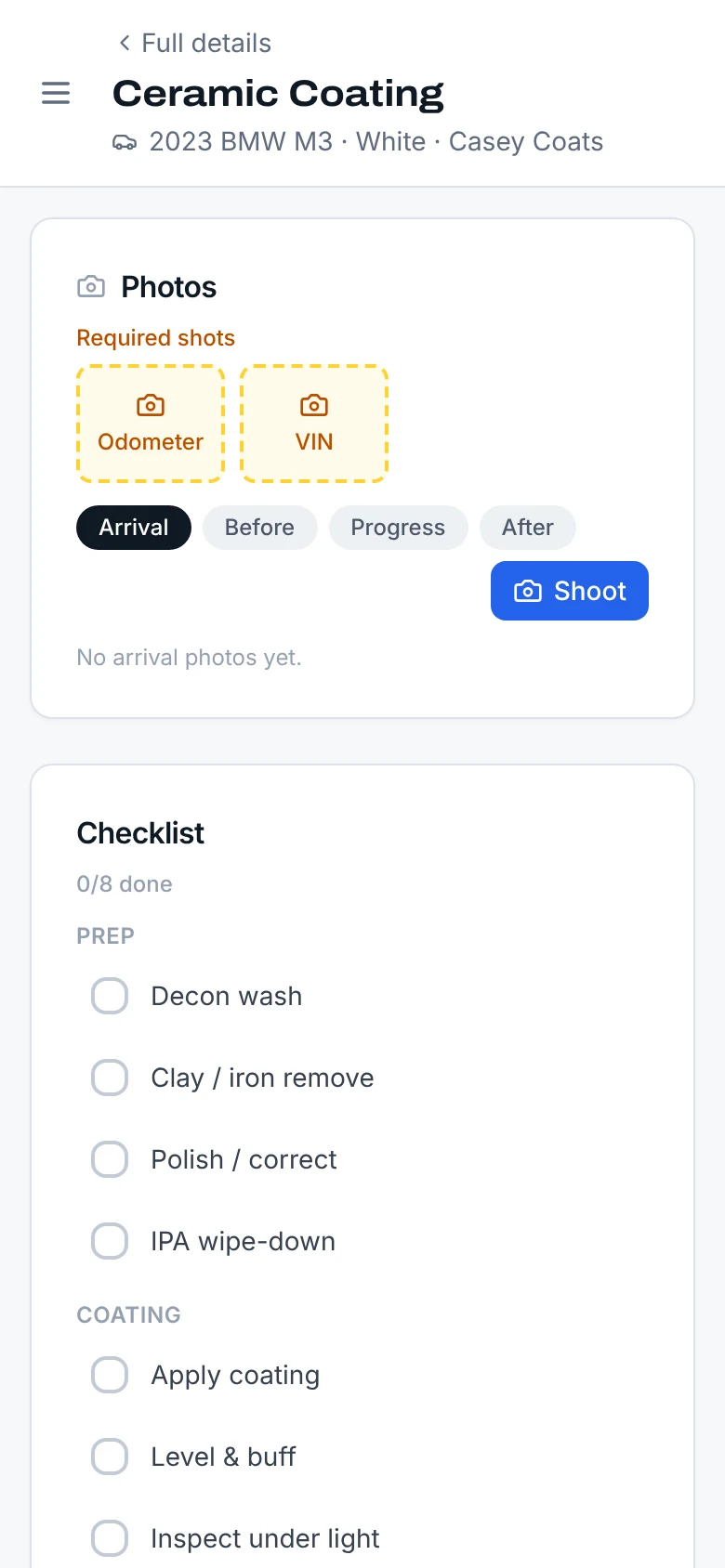
Work mode asks for the shots you require, like the odometer and VIN on arrival, before the job can close.
5:40 PM
“Who still owes us?”
Unpaid balances sit on Today with a Collect button. Money shows collected, earned and outstanding.
Product tour
The real screens, not a mockup.
Everything below is Rinsely as it runs today, with a demo shop's data. The people and cars are made up; the product isn't.
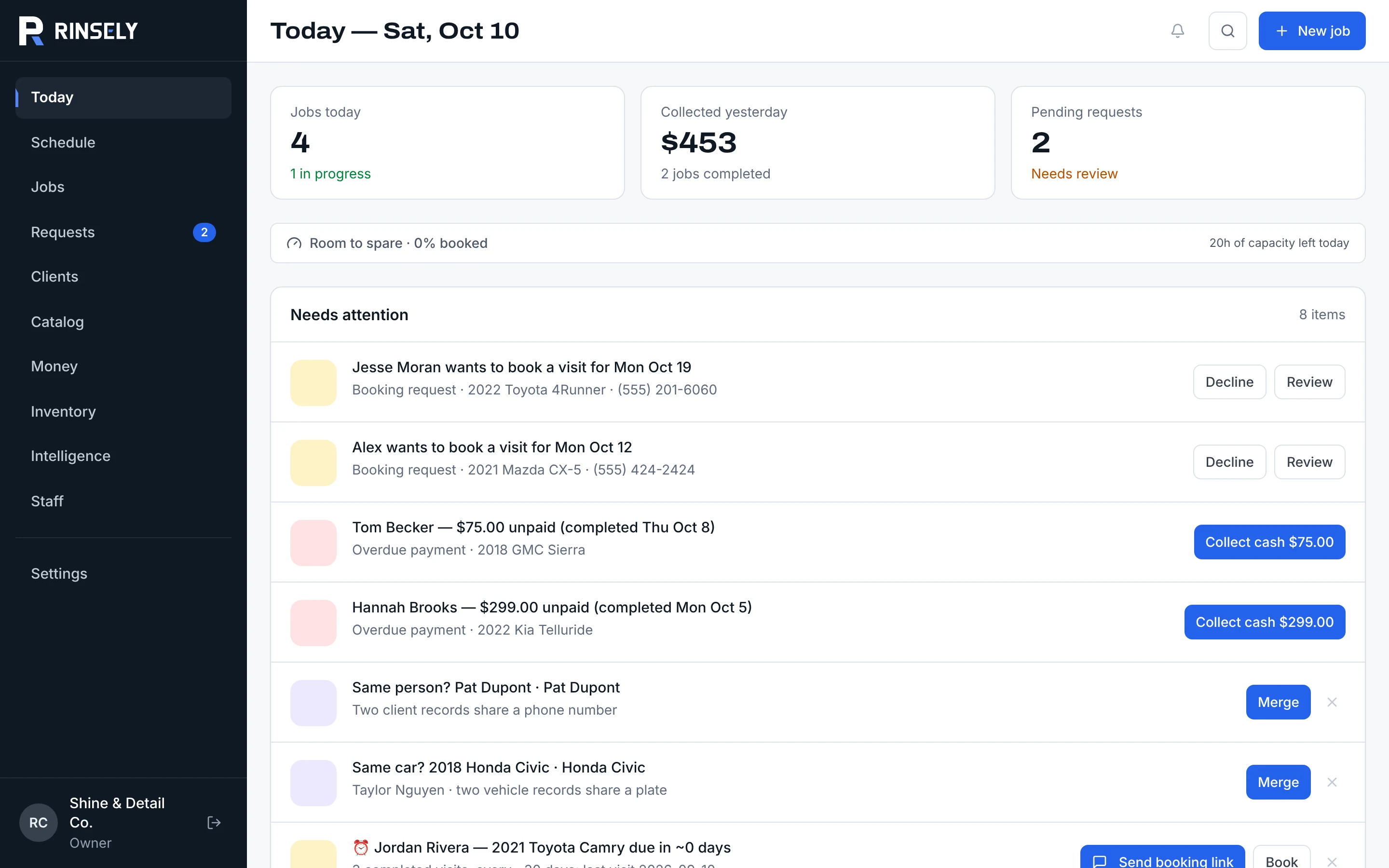
The day on one screen
Jobs today, what came in yesterday, booking requests to answer, and a Needs attention list: unpaid balances, unassigned jobs, duplicate clients to merge, regulars who are due back.
dashboard.getrinsely.com
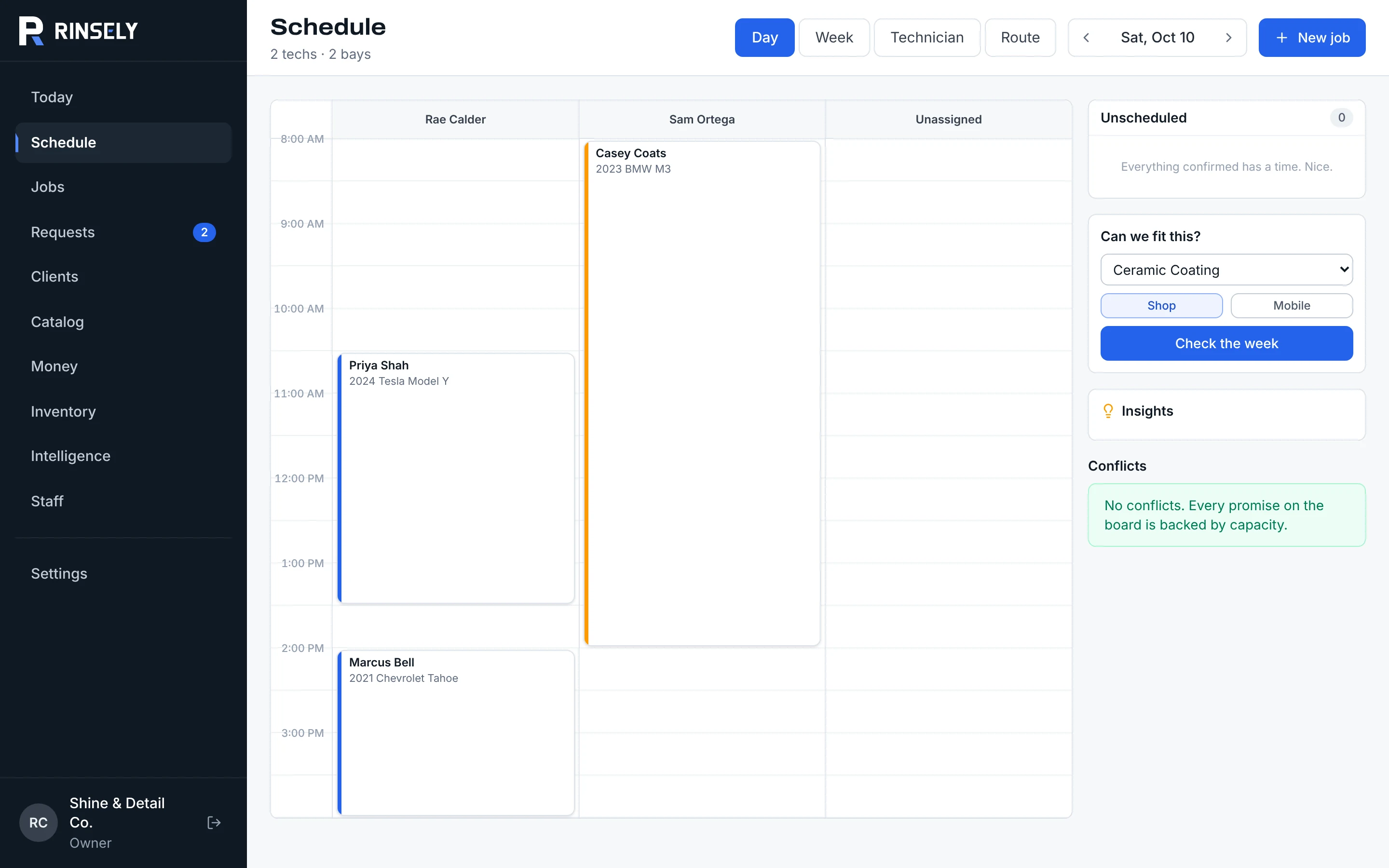
Lanes for every tech, room for every bay
Day, week, technician and route views. Ask “Can we fit this?” before you say yes, and see conflicts (a double-booked tech, too few bays, a job running past close) with the fix next to them.
dashboard.getrinsely.com/schedule
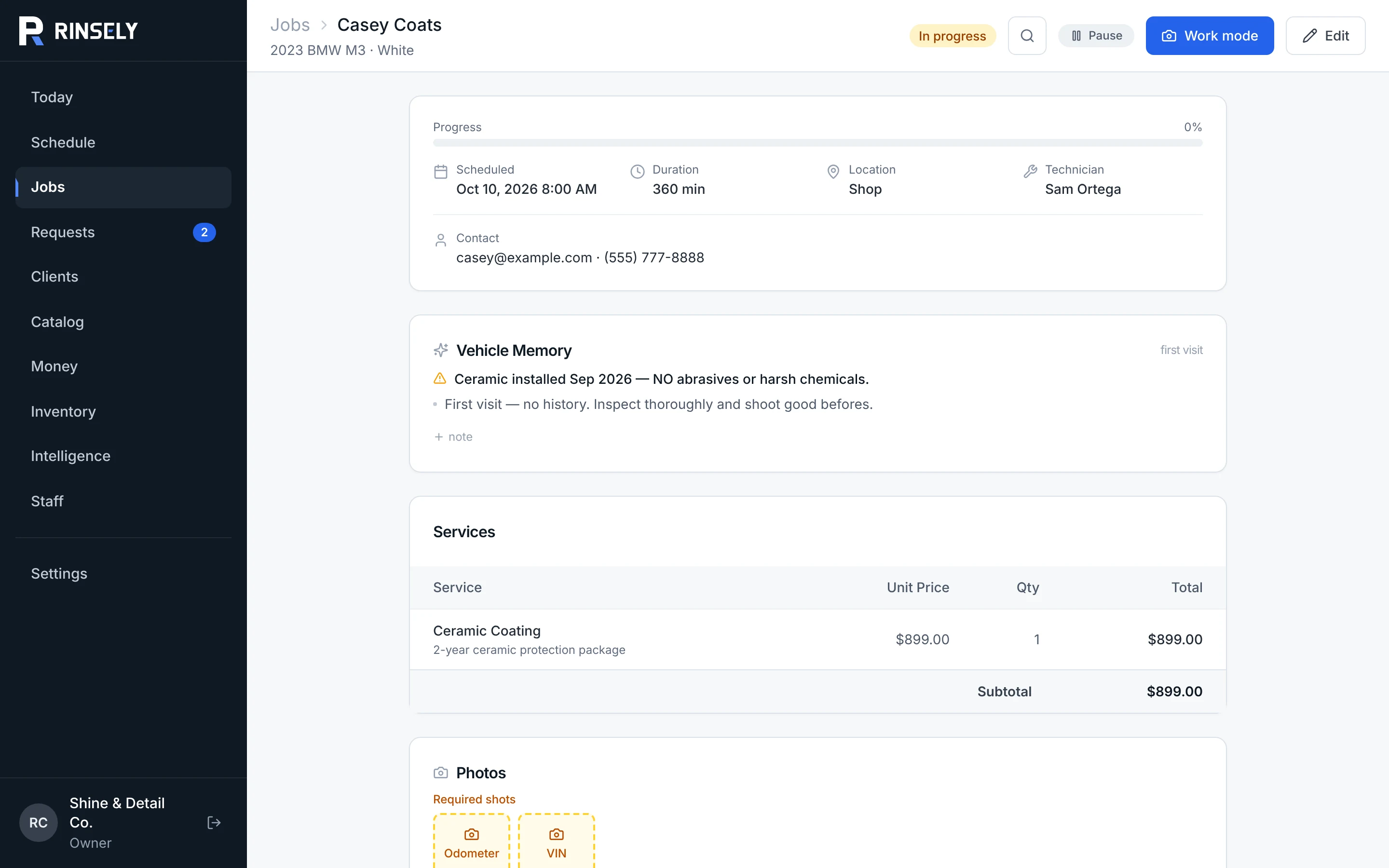
The job and everything the car has been through
Services, schedule, tech and required photos in one place, with vehicle memory on top: “Ceramic installed Sep 2026 — no abrasives or harsh chemicals.” Techs see their own list under My jobs.
dashboard.getrinsely.com/jobs
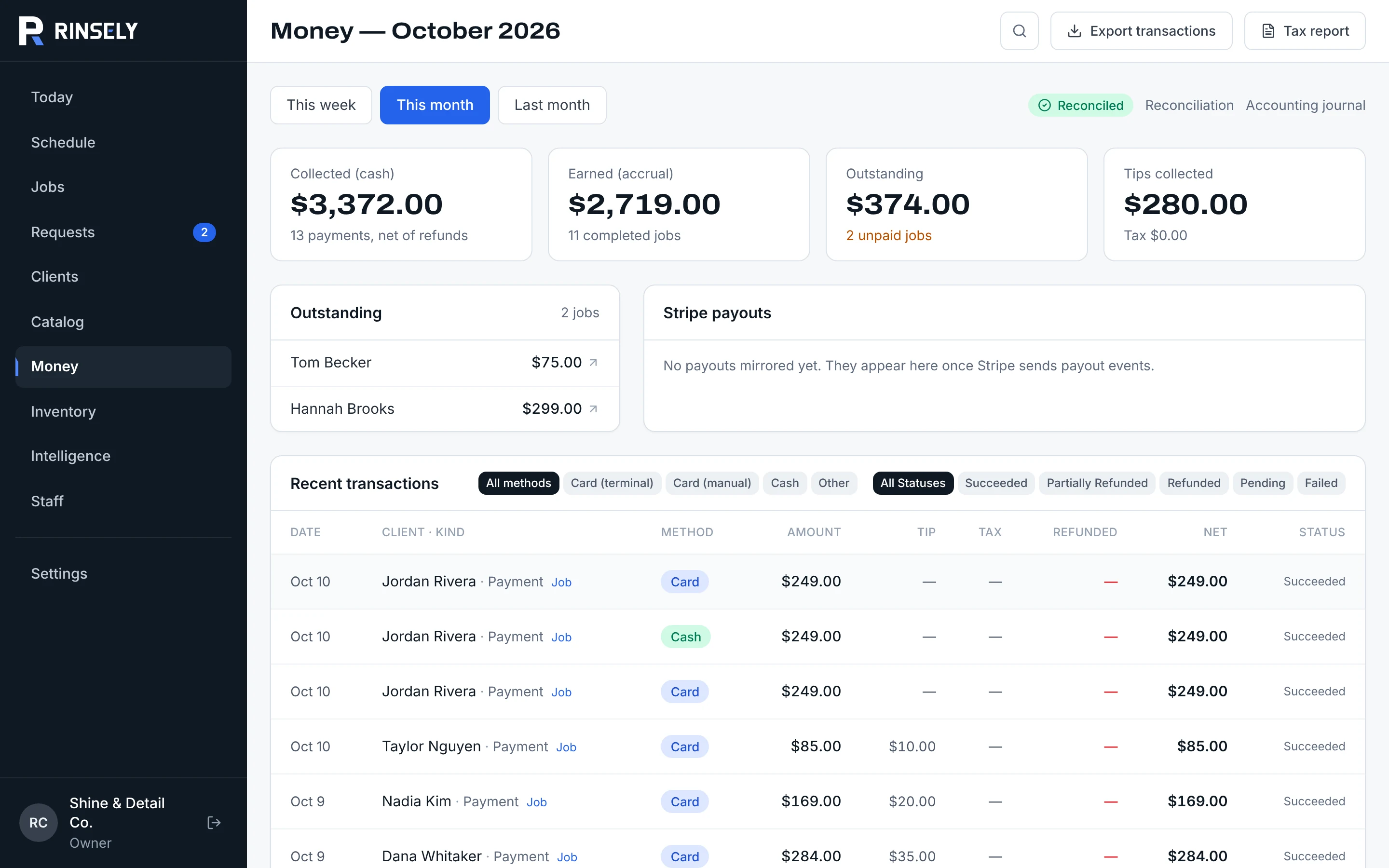
Collected, earned and still owed
Cash in versus work done, tips, the jobs that still owe, and every transaction with card, cash, tip and refund columns. Export transactions or a tax report as CSV, and check the books against reconciliation.
dashboard.getrinsely.com/money
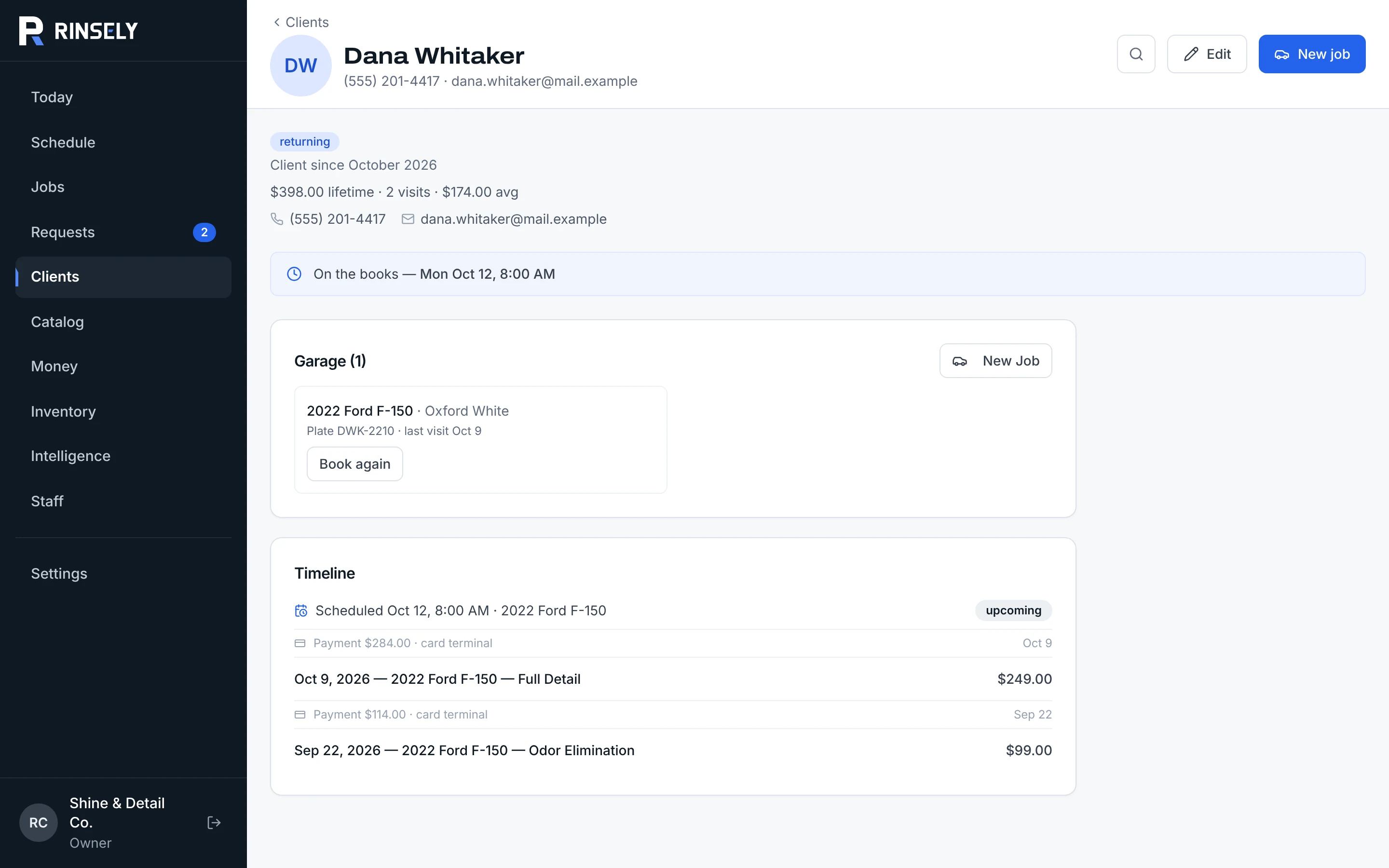
Every client, every vehicle, every visit
Lifetime value, visits, the next booking, the garage of vehicles with Book again, and a timeline of jobs and payments.
dashboard.getrinsely.com/clients
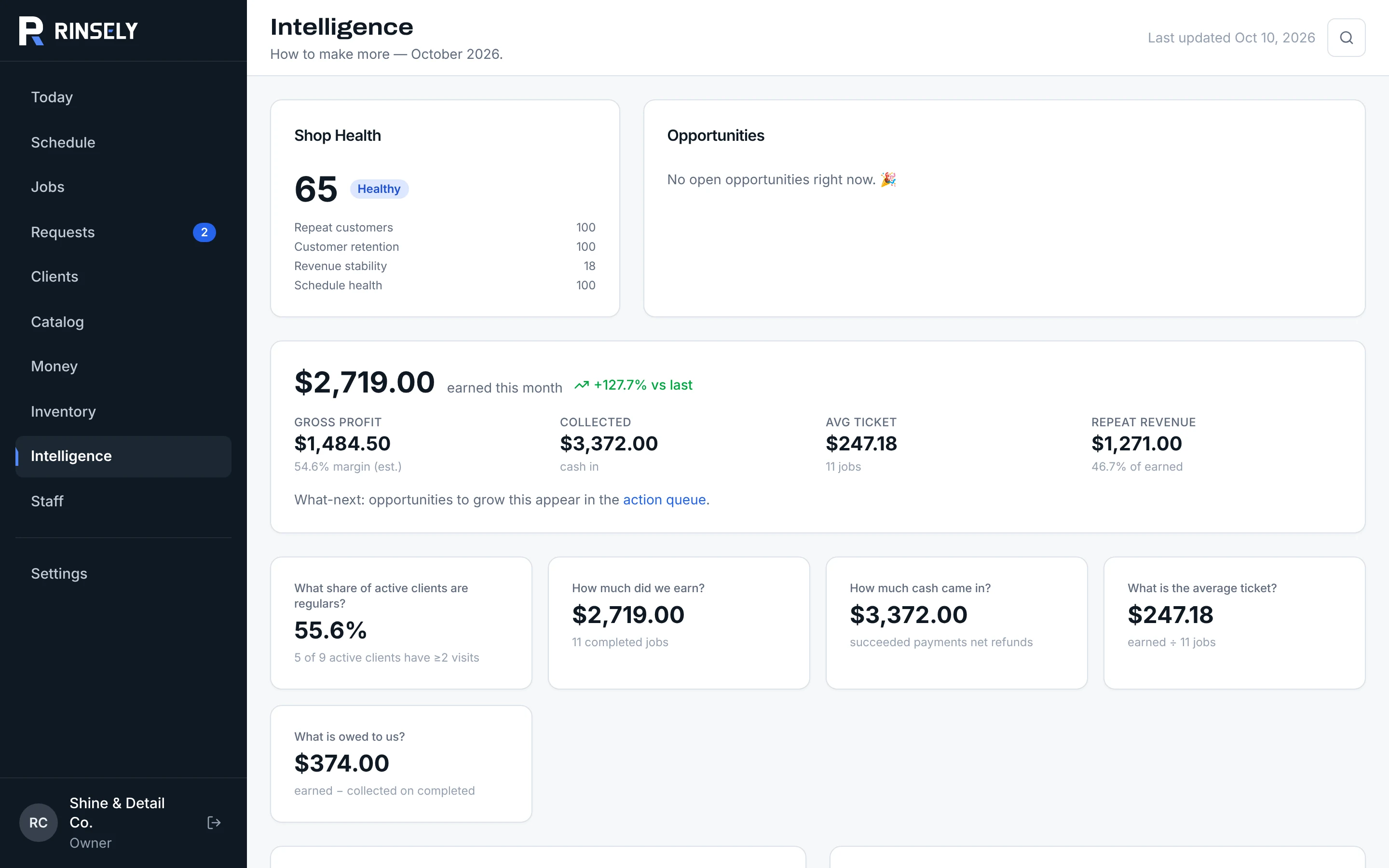
How the month is really going
A shop health score, earned against last month, margin, average ticket, repeat revenue, a revenue forecast and the opportunities worth a text.
dashboard.getrinsely.com/intelligence
How it works
Set up tonight. Take bookings tomorrow.
01
Set up the shop
Add your services with prices and times by vehicle size, your hours, bays and staff. The Go live checklist shows what is left.
02
Share your booking link
Your shop gets yourshop.getrinsely.com, or use your own domain. Put it in your bio, on your Google profile and in every text.
03
Run the day, get paid
Confirm requests, work jobs in Work mode, and take card or cash. The before-and-after photos go to the customer when you finish.
Online booking
Booked at 10 PM, without you.
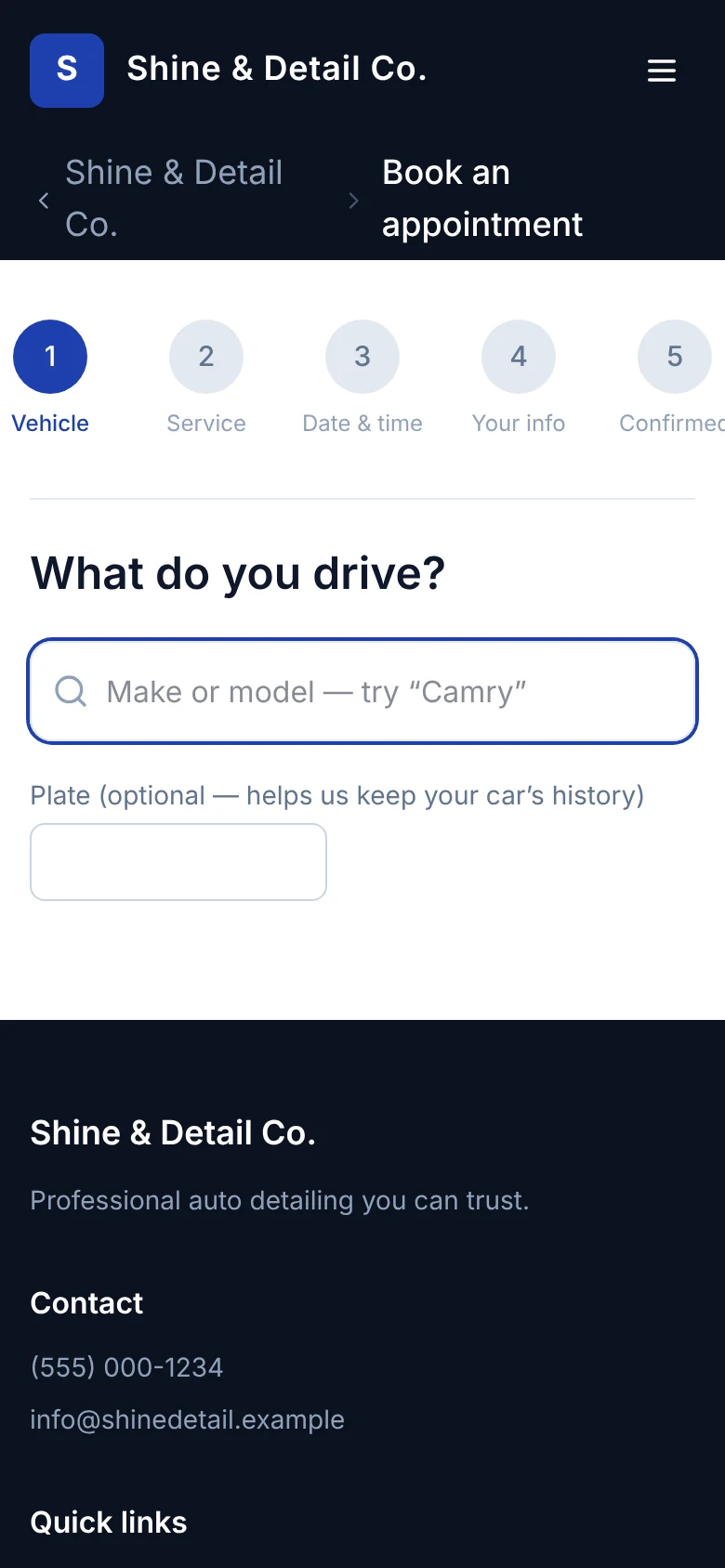
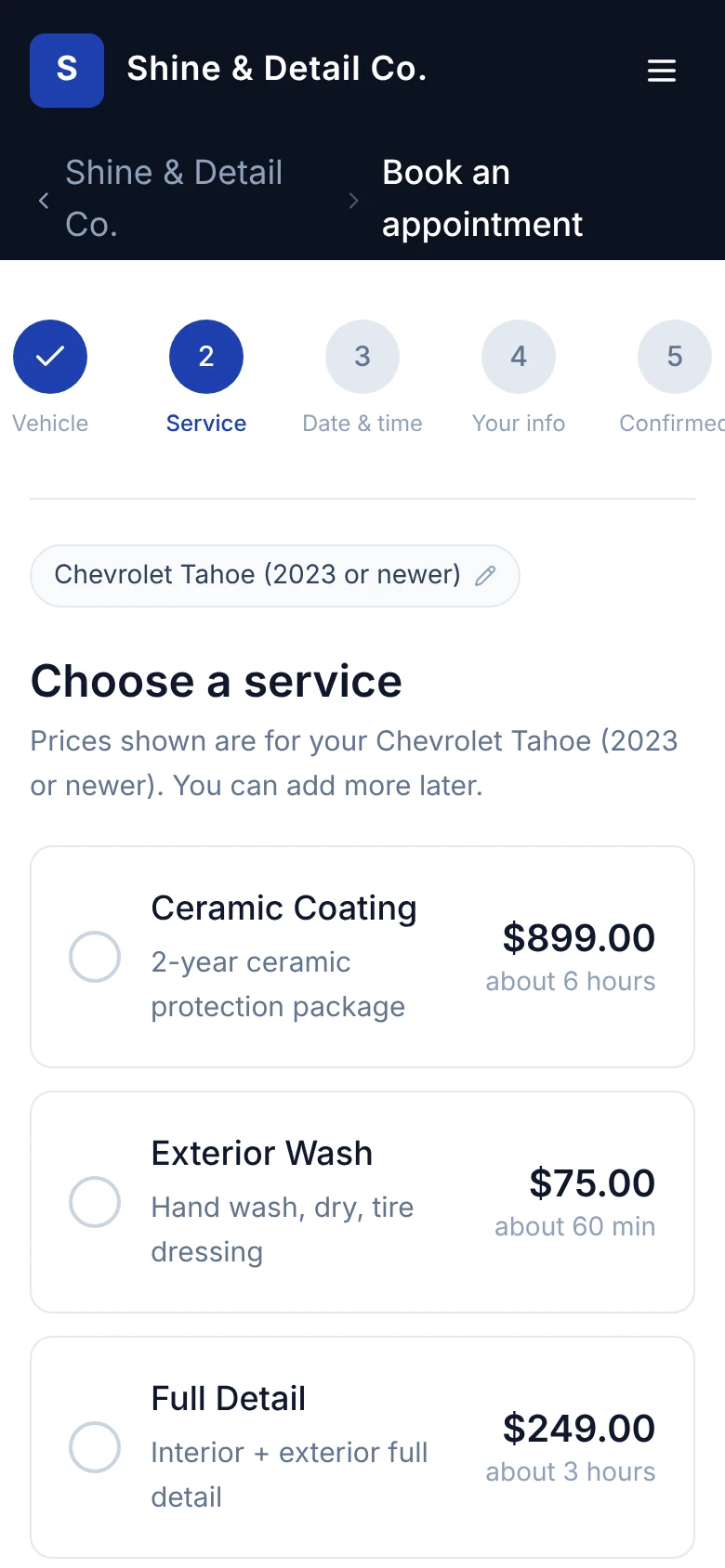
Every shop gets its own booking site. Customers book the way they'd text you, minus the back-and-forth.
They pick their vehicle by make and model. Price and time follow its size.
Only open times show: your hours, bays, techs and buffers are all counted.
The request holds its slot, lands in Requests, and the customer gets a text.
Lives at yourshop.getrinsely.com or your own domain.
No. Rinsely takes no fee on any payment. On Rinsely Payments you pay Stripe's standard processing rate, passed through at cost: 2.7% + 5¢ in person, 2.9% + 30¢ keyed. On Bring Your Own Hardware, Square bills you at your plan's rate, same as today. Your subscription is the only thing Rinsely charges.
I already have a Square reader. Do I have to replace it?
No. Choose Bring Your Own Hardware, connect your Square account, and keep using your Square Reader, Stand or Terminal. Payments land in Rinsely against the job.
Can I switch payment providers later?
Yes, from Settings → Payments. The shop keeps taking cards on the current provider until the new one finishes connecting, so you never have a day without cards. Past payments keep their original provider, so refunds and reports stay right.
How do customers book?
Your shop gets a booking site at yourshop.getrinsely.com, or on your own domain. The customer picks their vehicle, a service priced for it, and a time that's actually open on your schedule. The request lands in Requests, the slot is held, and they get a text that you've got it. You confirm it into a job with one click.
Can customers pay a deposit when they book?
Not yet. Online bookings come in as requests, and you take payment at the job: card reader, keyed card or cash. We'll say so here when deposits ship.
Does it work on a phone?
Yes. The whole dashboard runs in a phone browser, and Work mode is built for a phone in a wet bay: big targets, required shots, a checklist. A native app for iPad and iPhone with Bluetooth card readers is in development.
What can my techs see?
There are three roles: owner, admin and tech. Techs land on My jobs and work the job in Work mode. Admins run the schedule and clients but do not see Money or financial reports.
Can I bring my existing client list?
Yes. Import clients from a CSV and match your columns to Rinsely fields. Duplicate clients and vehicles are flagged on Today so you can merge them.
What texts go to my customers?
A booking confirmation, a reminder the day before, the before-and-after photo reveal with a receipt link when the job is done, and a review request a few hours later. Customers can reply STOP to opt out, and Rinsely respects quiet hours. Receipts can go by text or email.
Get started
Run tomorrow from one screen.
Create your shop, add your services and hours, and send your booking link tonight.